Data … as usual

All things about data by Laurent Leturgez

Category Archives: Oracle

Step by step Solaris 11.1 installation guide on a virtual box VM (x86-64)

Solaris is an OS with many tools like dtrace. In my case, I installed it because I would like to test Oracle 12c and solaris specific views that detect long IO operation: V$KERNEL_IO_OUTLIER.

First of all, you need to download the installation medium which is available at https://edelivery.oracle.com. You need to download the Interactive text install medium :

S11_00

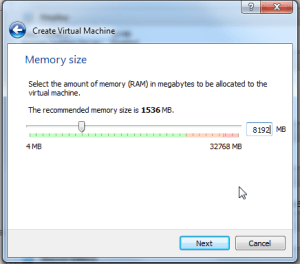
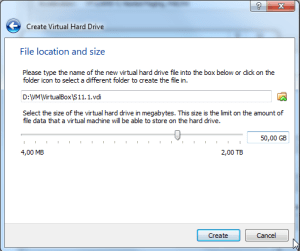
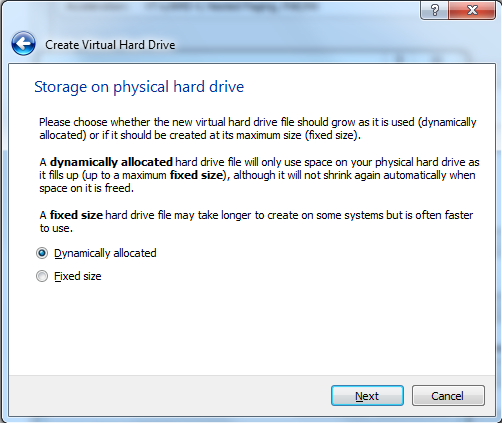
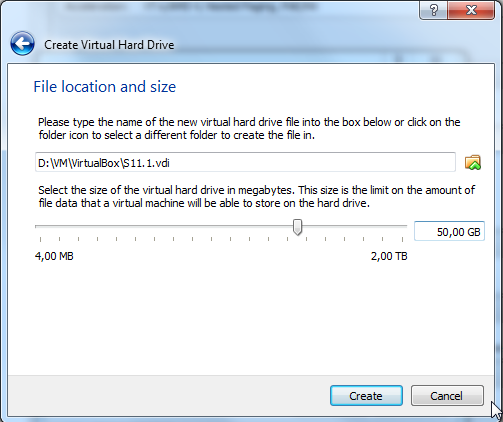
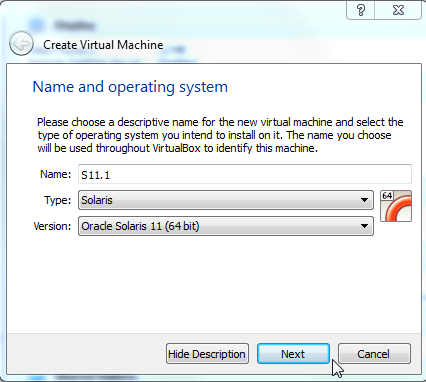
Next, you have to create a new VM. This can be done by following steps below:

S11_01

S11_02

S11_03

S11_04

S11_05

S11_06

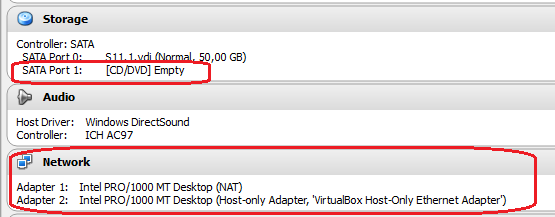
Ok, the VM is created, now let’s configure it by attaching the S11.1 installation media, and adding a network adapter (I will add a another NIC later for my LAN access) :

S11_07

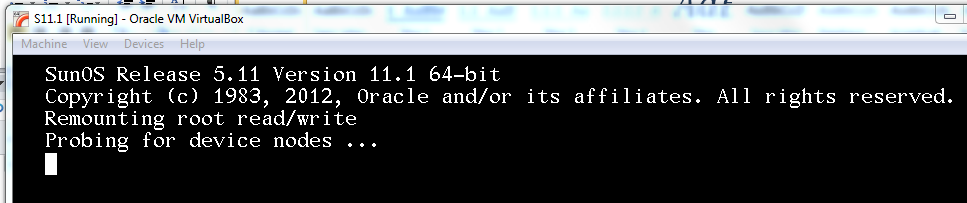
And boot the VM …

After booting the VM, the installation process will prompt you for many information (keyboard, hostname etc.):

S11_08

S11_09

Select your keyboard layout

S11_10

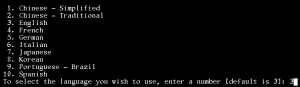
And the language for your installation.

S11_11

Select 1 to install Oracle Solaris

S11_12

During the installation process, you can go to the next step by pressing F2 and go back by pressing F3. Everything you can do is mentioned on the bottom of the screen :

S11_13

S11_14

In the next screen, I will use the local discovery method because my disk is locally attached.

S11_15

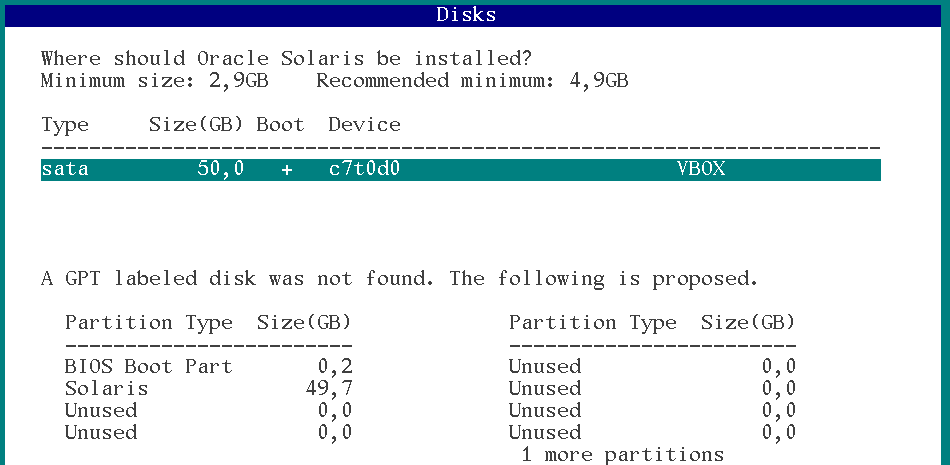
Select the discovered disk where you want to install S11 and then press F2.

S11_16

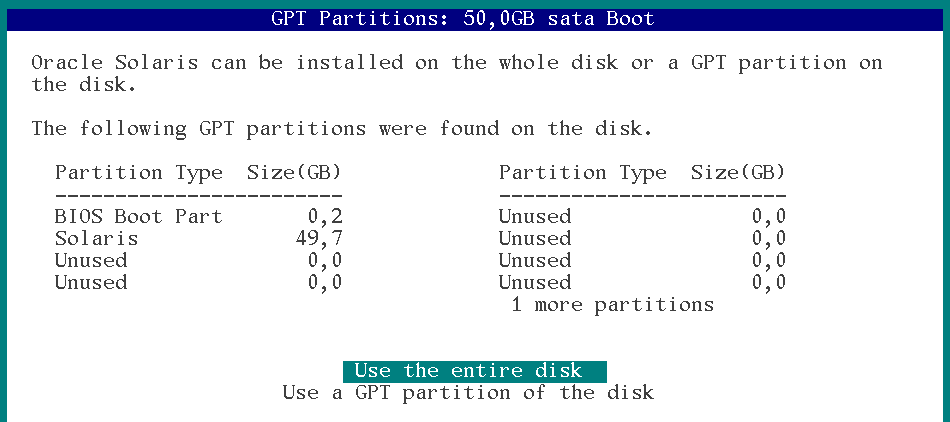
In this screen, I choose to use the entire disk for my installation. You can select another partition by selecting “Use a GPT partition of the disk”.
S11_17

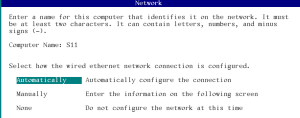
Enter the computer name (short name), and choose how you want to configure your network. I decided to configure my network automatically (DHCP).

S11_18

No alternative naming service.

S11_19

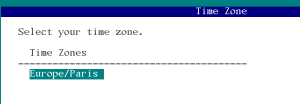
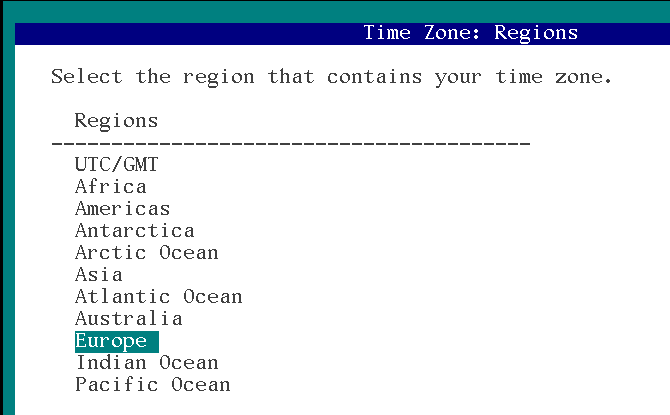
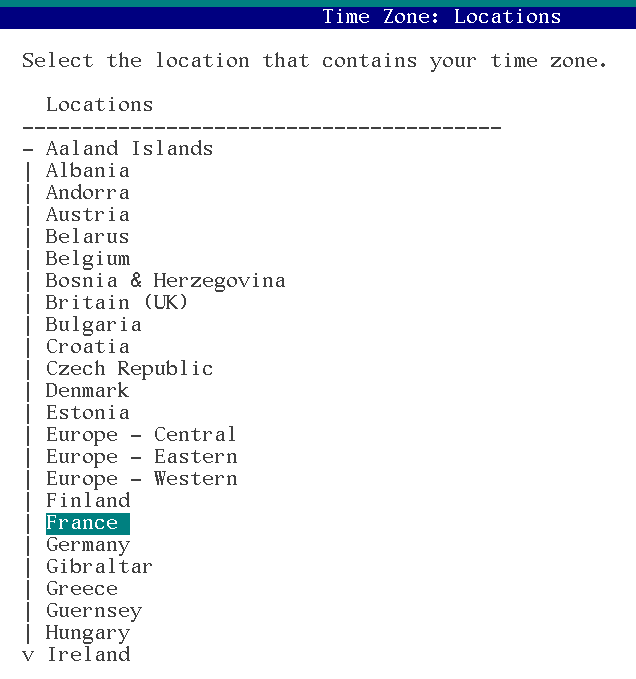
Ok, now it’s time to configure time related information, first of all … Time zone

S11_20

S11_21

Ok timezone set.

S11_22

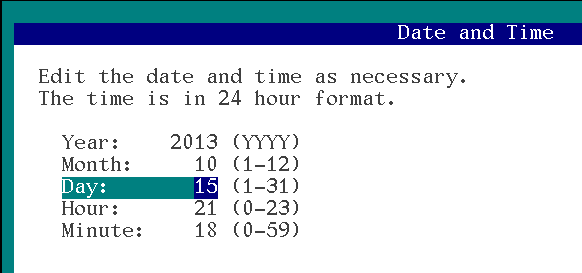
next, set date and time.

S11_23

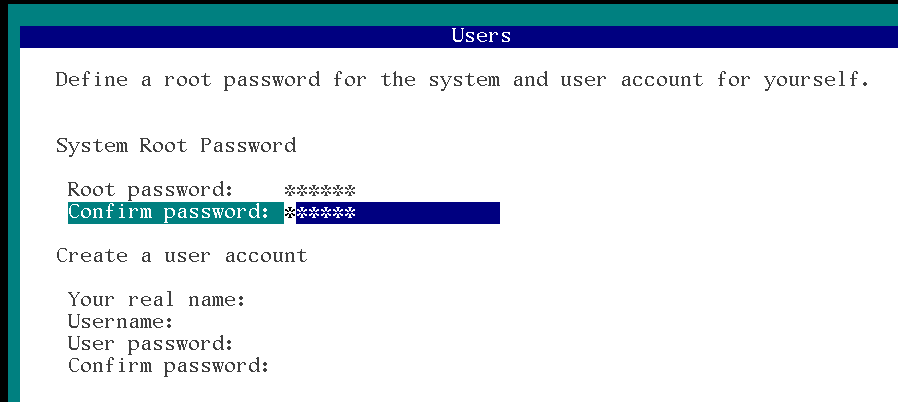
Set the root password and eventually, create a user account.
S11_24

No need to register your system … it’s a VM

S11_25

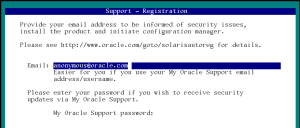
Next screen is to configure the method to access oracle servers for OCM and Automatic SR features. Here it doesn’t make sense.
S11_26

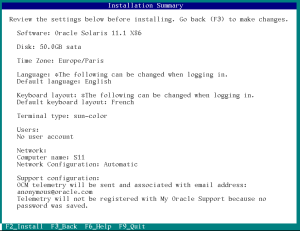
Review your configuration and press F2 to install.
S11_27

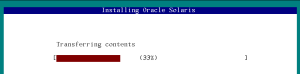
Install in progress …

At the end of the process, you have to reboot your VM by pressing F8. In my case, instead of rebooting the server, I shut it down and took the time to detach the installation medium and to configure another Network adapter plugged into my LAN.

S11_28

Now I can boot my VM … I’m ready to configure it.

To configure network, I used the same method I described in this blog post : https://laurent-leturgez.com/2012/08/01/build-a-basic-network-configuration-on-solaris-11/

S11_29

Net1/v4 has to be configured S11_30

Link is up,so we can configure this NIC.

S11_31

S11_32

As we configured DHCP client on a NAT Virtualbox NIC, we retrieved DNS information:

S11_33

Now I can access to my VM from a putty client. But root access is disabled by default in sshd config. So you have to modify the sshd config  and restart the daemon

S11_34

Next thing I recommend to configure is the package repository. By default, if you have an internet access configured to your machine (which is my case because of my NATted network adapter), you don’t have to configure anything because your default repository is already configured to access Oracle remote repository.

root@S11:~# pkg publisher
PUBLISHER                   TYPE     STATUS P LOCATION
solaris                     origin   online F http://pkg.oracle.com/solaris/release/

root@S11:~# pkg publisher solaris

            Publisher: solaris
                Alias:
           Origin URI: http://pkg.oracle.com/solaris/release/
              SSL Key: None
             SSL Cert: None
          Client UUID: ddee2130-0292-11e2-b9e5-80144f013e20
      Catalog Updated: November  9, 2011 03:34:27 PM
              Enabled: Yes

If you want to configure other repositories (for example local repo), you can follow instructions at this link : http://docs.oracle.com/cd/E23824_01/html/E21802/publisher-config.html

Maybe you will need to install basic XWindow libraries (for example, if you want to export a display to your local X Server). If your repository is configured, you can execute the commands below:

root@S11:~# pkg install SUNWarc SUNWbtool SUNWhea SUNWlibms SUNWmfrun SUNWxorg-client-programs SUNWxorg-clientlibs SUNWxwfsw pkg://solaris/SUNWxwplt truetype/fonts-core
           Packages to install: 65
       Create boot environment: No
Create backup boot environment: No
            Services to change:  5

DOWNLOAD                                PKGS         FILES    XFER (MB)   SPEED
Completed                              65/65     5045/5045    40.9/40.9  280k/s

PHASE                                          ITEMS
Installing new actions                     6797/6797
Updating package state database                 Done
Updating image state                            Done
Creating fast lookup database                   Done

Then logoff and re-login, you can now export your display and launch X Programs:

$ ssh root@192.168.99.130
Last login: Wed Oct 16 14:14:47 2013 from 192.168.99.1
Oracle Corporation      SunOS 5.11      11.1    September 2012
root@S11:~# echo $DISPLAY
localhost:10.0
root@S11:~# xlogo

To conclude this installation, if you want to configure a complete Desktop Manager, you have to install the slim_install package which deploys 315 packages to your system … so it can take a while.

root@S11:~# pkg install slim_install
           Packages to install: 315
       Create boot environment:  No
Create backup boot environment: Yes
            Services to change:  13

DOWNLOAD                                PKGS         FILES    XFER (MB)   SPEED
Completed                            315/315   50633/50633  524.2/524.2  259k/s

PHASE                                          ITEMS
Installing new actions                   81666/81666
Updating package state database                 Done
Updating image state                            Done
Creating fast lookup database                   Done

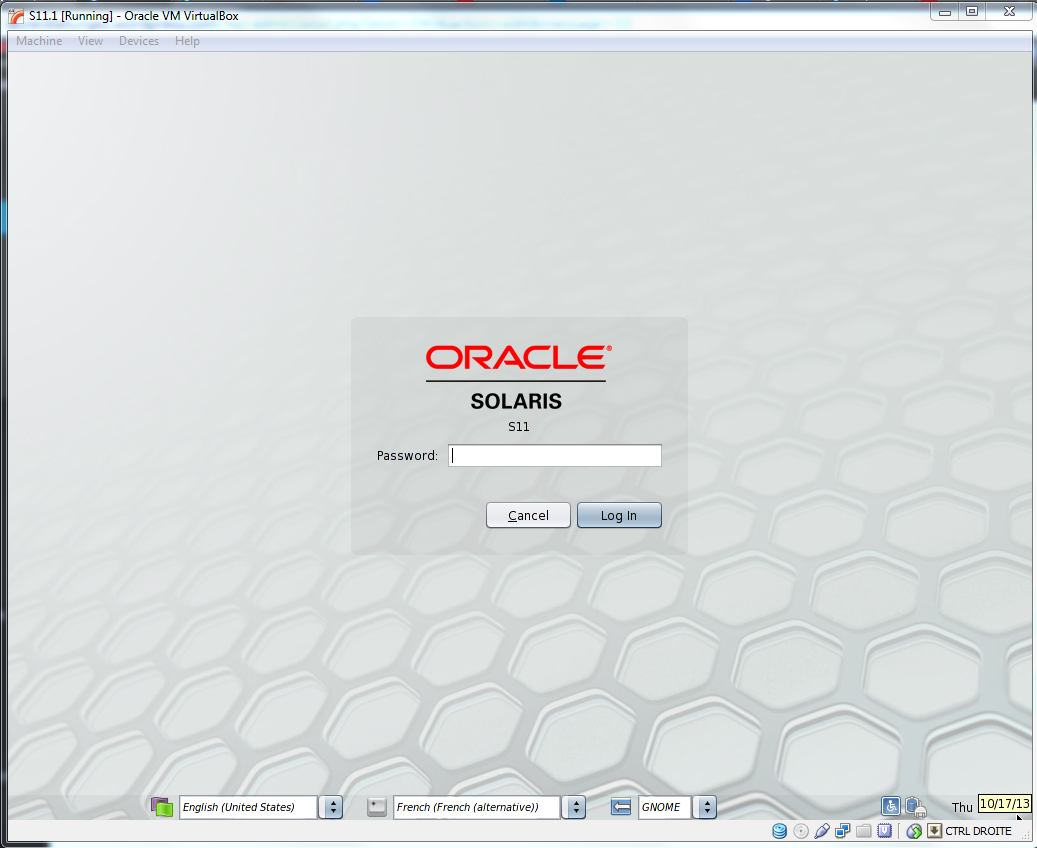
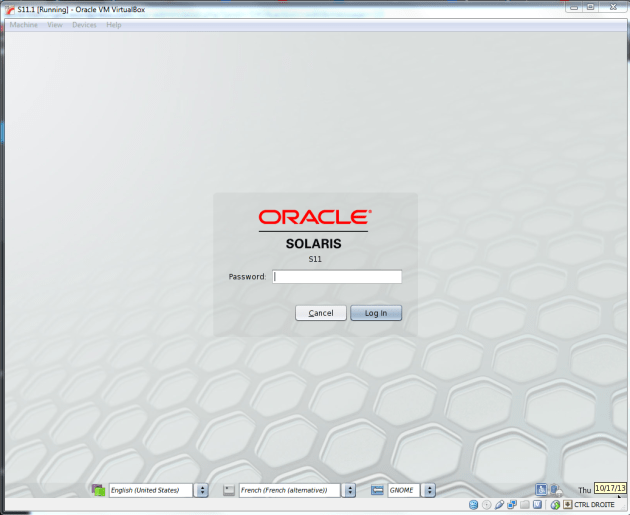
Reboot your machine and you will display a nice Desktop manager environment:
S11_36

This step by step guide is available at this address : http://www.slideshare.net/lolo115/install-solat

Oracle extra cost options licensing on multitenant databases

Oracle database 12c has been announced few weeks ago with its main feature: multitenant database. This feature is build to consolidate many databases (aka. pluggable databases or PDB) into a unique container database (CDB).
Multitenancy is an extra cost option for the Enterprise Edition if you use more than one pdb in your container. But if you want to consolidate, you probably want to consolidate all the options you bought before for many servers.
In Oracle server, each usage of a specific feature you made is recorded in a dictionary table and can be accessed through the view: DBA_FEATURE_USAGE_STATISTICS.
In a Standard Edition database, features of the Enterprise Edition are tracked. If you want to use an extra cost option, you will probably raise an ORA-00439 (Feature not enabled):
SQL> SELECT * FROM PRODUCT_COMPONENT_VERSION;

PRODUCT              VERSION              STATUS
-------------------- -------------------- --------------------
NLSRTL               12.1.0.1.0           Production
Oracle Database 12c  12.1.0.1.0           64bit Production
PL/SQL               12.1.0.1.0           Production
TNS for Linux:       12.1.0.1.0           Production
We are working on a Standard Edition.
SQL> select NAME,DETECTED_USAGES,CURRENTLY_USED,LAST_USAGE_DATE
  2  from dba_feature_usage_statistics
  3  where name in ('Segment Shrink')
  4  /
NAME                                               DETECTED_USAGES CURRE LAST_USAGE_DATE
-------------------------------------------------- --------------- ----- -------------------
Segment Shrink                                                   0 FALSE

SQL> alter table t shrink space;
Table altered.
SQL> exec dbms_feature_usage_internal.sample_one_feature('Segment Shrink');

PL/SQL procedure successfully completed.

SQL> select NAME,DETECTED_USAGES,CURRENTLY_USED,LAST_USAGE_DATE
   2  from dba_feature_usage_statistics
   3  where name in ('Segment Shrink')
   4  /

NAME                                               DETECTED_USAGES CURRE LAST_USAGE_DATE
 -------------------------------------------------- --------------- ----- -------------------
 Segment Shrink                                                   1 TRUE  2013-10-09 20:46:22
SQL> BEGIN
  2   DBMS_PRIVILEGE_CAPTURE.CREATE_CAPTURE(
  3    name          => 'public_privs_capture',
  4    description   => 'Captures privilege use by PUBLIC',
  5    type          => DBMS_PRIVILEGE_CAPTURE.G_ROLE,
  6    roles         => role_name_list('public')
  7  );
  8  end;
  9  /
BEGIN
*
ERROR at line 1:
ORA-00439: feature not enabled: Privilege Analysis
ORA-06512: at "SYS.DBMS_PRIVILEGE_CAPTURE", line 3
ORA-06512: at line 2
Notice that I used dbms_feature_usage_internal.sample_one_feature to force the update of feature usage data (They are normally updated every 7 days).
In an Enterprise Edition database, the behaviour is similar but only extra cost options usages are recorded, features included in the Edition are not (for example, Segment Shrink will stay at 0).
Now let’s see how it’s recorded in a multitenant database. In my case, I have a container database (ORACLE_SID=cdb) which hosts 10 pluggable databases. Those PDBs have been consolidated from many databases hosted on dedicated servers. As we bought database vault option for the database consolidated into PDB10 (for example), we would like to use Privilege analysis function (included in database vault option).
Let’s check how it works in the PDB10:
idle> connect sys/oracle@oel63:1521/pdb10 as sysdba
Connected.

[SYS@PDB10 | SID:CDB]> BEGIN
  2    DBMS_PRIVILEGE_CAPTURE.CREATE_CAPTURE(
  3     name          => 'public_privs_capture',
  4     description   => 'Captures privilege use by PUBLIC',
  5     type          => DBMS_PRIVILEGE_CAPTURE.G_ROLE,
  6     roles         => role_name_list('public')
  7     );
  8  END;
  9  /

PL/SQL procedure successfully completed.

[SYS@PDB10 | SID:CDB]> EXEC DBMS_PRIVILEGE_CAPTURE.ENABLE_CAPTURE ('public_privs_capture');

PL/SQL procedure successfully completed.

[SYS@PDB10 | SID:CDB]> exec dbms_feature_usage_internal.sample_one_feature('Privilege Capture');
BEGIN dbms_feature_usage_internal.sample_one_feature('Privilege Capture'); END;

*
ERROR at line 1:
ORA-20009: Unknown Feature
ORA-06512: at "SYS.DBMS_FEATURE_USAGE_INTERNAL", line 614
ORA-06512: at line 1
Well it seems that we cannot call this package in a PDB. So we will do it the CDB$ROOT and check DBA_FEATURE_USAGE_STATISTICS (in the PDB) and CDB_FEATURE_USAGE_STATISTICS (in the CDB$ROOT).
[SYS@CDB$ROOT | SID:CDB]> select con_id,NAME,DETECTED_USAGES,CURRENTLY_USED,LAST_USAGE_DATE
  2  from cdb_feature_usage_statistics
  3  where name in ('Privilege Capture')
  4  order by 1;

    CON_ID NAME                                               DETECTED_USAGES CURRE LAST_USAGE_DATE
---------- -------------------------------------------------- --------------- ----- -------------------
         1 Privilege Capture                                                1 FALSE 2013-10-09 21:59:40
         2 Privilege Capture                                                0 FALSE
         3 Privilege Capture                                                0 FALSE
         4 Privilege Capture                                                0 FALSE
         5 Privilege Capture                                                0 FALSE
         6 Privilege Capture                                                0 FALSE
         7 Privilege Capture                                                0 FALSE
         8 Privilege Capture                                                0 FALSE
         9 Privilege Capture                                                0 FALSE
        10 Privilege Capture                                                0 FALSE
        11 Privilege Capture                                                0 FALSE
        12 Privilege Capture                                                0 FALSE

12 rows selected.

[SYS@CDB$ROOT | SID:CDB]> connect sys/oracle@oel63:1521/pdb10 as sysdba
Connected.
[SYS@PDB10 | SID:CDB]> select NAME,DETECTED_USAGES,CURRENTLY_USED,LAST_USAGE_DATE
  2  from dba_feature_usage_statistics
  3  where name in ('Privilege Capture')
  4  /

NAME                                               DETECTED_USAGES CURRE LAST_USAG
-------------------------------------------------- --------------- ----- ---------
Privilege Capture                                                0 FALSE
We have the proof that feature usage is recorded in the root container and licensing is logically done at the CDB$ROOT level.
If I bought database vault option in my 11g database for 2 CPUs, and now my multitenant is located on a strong server with 24 CPUs, I have to buy 22CPUs of this option, even if it run on a single. On the other side, you can use the option and all of its features in all your PDBs even you don’t need it 😉
To proove it, I will reproduce the same steps in another PDB (the PDB4 for example), and we will see that usage is recorded in the CDB.
idle> connect sys/oracle@oel63:1521/pdb4 as sysdba
Connected.
[SYS@PDB4 | SID:CDB]> BEGIN
  2    DBMS_PRIVILEGE_CAPTURE.CREATE_CAPTURE(
  3     name          => 'public_privs_capture',
  4     description   => 'Captures privilege use by PUBLIC',
  5     type          => DBMS_PRIVILEGE_CAPTURE.G_ROLE,
  6     roles         => role_name_list('public')
  7     );
  8  END;
  9  /

PL/SQL procedure successfully completed.

[SYS@PDB4 | SID:CDB]> EXEC DBMS_PRIVILEGE_CAPTURE.ENABLE_CAPTURE ('public_privs_capture');

PL/SQL procedure successfully completed.

[SYS@PDB4 | SID:CDB]> connect sys/oracle as sysdba
Connected.
[SYS@CDB$ROOT | SID:CDB]> exec dbms_feature_usage_internal.sample_one_feature('Privilege Capture');

PL/SQL procedure successfully completed.

[SYS@CDB$ROOT | SID:CDB]> alter session set nls_date_format='YYYY-MM-DD HH24:MI:SS';

Session altered.

[SYS@CDB$ROOT | SID:CDB]> set lines 500
[SYS@CDB$ROOT | SID:CDB]> set pages 500
[SYS@CDB$ROOT | SID:CDB]> select con_id,NAME,DETECTED_USAGES,CURRENTLY_USED,LAST_USAGE_DATE
  2  from cdb_feature_usage_statistics
  3  where name in ('Privilege Capture')
  4  order by 1;

    CON_ID NAME                                               DETECTED_USAGES CURRE LAST_USAGE_DATE
---------- -------------------------------------------------- --------------- ----- -------------------
         1 Privilege Capture                                                2 TRUE  2013-10-09 22:11:37
         2 Privilege Capture                                                0 FALSE
         3 Privilege Capture                                                0 FALSE
         4 Privilege Capture                                                0 FALSE
         5 Privilege Capture                                                0 FALSE
         6 Privilege Capture                                                0 FALSE
         7 Privilege Capture                                                0 FALSE
         8 Privilege Capture                                                0 FALSE
         9 Privilege Capture                                                0 FALSE
        10 Privilege Capture                                                0 FALSE
        11 Privilege Capture                                                0 FALSE
        12 Privilege Capture                                                0 FALSE

12 rows selected.
If you plan to implement multitenant database, you have to be clever and think about options you bought and how you will implement them into your consolidated databases.

How Oracle 11.2 clusterware starts, find voting file and ASM SPfile

On a recent discussion on linkedin RACSIG page, Jim Williams explained how ASM SPFILE and Voting files are discovered during OHASD startup phase.

With one of my colleague (Pierre Labrousse), we have built a little video which explain this.

You can see this video here :

New Views (static and dynamic) in Oracle Database 12c

Each release of Oracle Database comes with many new views.

Those views are detailed above, some of them are documented, others not.

This list has been automatically generated between 12.1.0.1 and 11.2.0.3.0. I have tried to be as precise as possible by searching every link in the entire documentation. If you see a unlinked view, please comment the post and give me the missing URL.

  • Dynamic Performance views (V$)

V$AQ_BACKGROUND_COORDINATOR
V$AQ_BMAP_NONDUR_SUBSCRIBERS
V$AQ_CROSS_INSTANCE_JOBS
V$AQ_JOB_COORDINATOR
V$AQ_MESSAGE_CACHE
V$AQ_MSGBM
V$AQ_NONDUR_REGISTRATIONS
V$AQ_NONDUR_SUBSCRIBER
V$AQ_NONDUR_SUBSCRIBER_LWM
V$AQ_NOTIFICATION_CLIENTS
V$AQ_SERVER_POOL
V$AQ_SUBSCRIBER_LOAD
V$ASM_ACFSREPL
V$ASM_ACFSREPLTAG
V$ASM_ACFSTAG
V$ASM_ACFS_SEC_ADMIN
V$ASM_ACFS_SEC_CMDRULE
V$ASM_ACFS_SEC_REALM
V$ASM_ACFS_SEC_REALM_FILTER
V$ASM_ACFS_SEC_REALM_GROUP
V$ASM_ACFS_SEC_REALM_USER
V$ASM_ACFS_SEC_RULE
V$ASM_ACFS_SEC_RULESET
V$ASM_ACFS_SEC_RULESET_RULE
V$ASM_AUDIT_CLEANUP_JOBS
V$ASM_AUDIT_CLEAN_EVENTS
V$ASM_AUDIT_CONFIG_PARAMS
V$ASM_AUDIT_LAST_ARCH_TS
V$ASM_ESTIMATE
V$BACKUP_NONLOGGED
V$BTS_STAT
V$BT_SCAN_CACHE
V$BT_SCAN_OBJ_TEMPS
V$CACHE
V$CACHE_LOCK
V$CACHE_TRANSFER
V$CELL_OFL_THREAD_HISTORY
V$CHANNEL_WAITS
V$CLIENT_SECRETS
V$CLONEDFILE
V$CONTAINERS
V$CON_SYSSTAT
V$CON_SYSTEM_EVENT
V$CON_SYSTEM_WAIT_CLASS
V$CON_SYS_TIME_MODEL
V$COPY_NONLOGGED
V$DEAD_CLEANUP
V$DG_BROKER_CONFIG
V$EDITIONABLE_TYPES
V$ENCRYPTION_KEYS
V$FALSE_PING
V$FLASHFILESTAT
V$GES_DEADLOCKS
V$GES_DEADLOCK_SESSIONS
V$GG_APPLY_COORDINATOR
V$GG_APPLY_READER
V$GG_APPLY_RECEIVER
V$GG_APPLY_SERVER
V$GOLDENGATE_CAPABILITIES
V$GOLDENGATE_CAPTURE
V$GOLDENGATE_MESSAGE_TRACKING
V$GOLDENGATE_TABLE_STATS
V$GOLDENGATE_TRANSACTION
V$HEAT_MAP_SEGMENT
V$INSTANCE_PING
V$IOS_CLIENT
V$IO_OUTLIER
V$KERNEL_IO_OUTLIER
V$KSFQP
V$LGWRIO_OUTLIER
V$MAPPED_SQL
V$NONLOGGED_BLOCK
V$OFSMOUNT
V$OFS_STATS
V$OPTIMIZER_PROCESSING_RATE
V$PATCHES
V$PDBS
V$PDB_INCARNATION
V$PING
V$PX_PROCESS_TRACE
V$REPLAY_CONTEXT
V$REPLAY_CONTEXT_LOB
V$REPLAY_CONTEXT_SEQUENCE
V$REPLAY_CONTEXT_SYSDATE
V$REPLAY_CONTEXT_SYSGUID
V$REPLAY_CONTEXT_SYSTIMESTAMP
V$RO_USER_ACCOUNT
V$RT_ADDM_CONTROL
V$SCHEDULER_INMEM_MDINFO
V$SCHEDULER_INMEM_RTINFO
V$SESSIONS_COUNT
V$SQL_DIAG_REPOSITORY
V$SQL_DIAG_REPOSITORY_REASON
V$SQL_MONITOR_SESSTAT
V$SQL_MONITOR_STATNAME
V$SQL_REOPTIMIZATION_HINTS
V$SYS_REPORT_REQUESTS
V$SYS_REPORT_STATS
V$TEMPUNDOSTAT
V$TSDP_SUPPORTED_FEATURE
V$UNIFIED_AUDIT_TRAIL
V$XSTREAM_APPLY_COORDINATOR
V$XSTREAM_APPLY_READER
V$XSTREAM_APPLY_RECEIVER
V$XSTREAM_APPLY_SERVER
V$XSTREAM_CAPTURE
V$XSTREAM_MESSAGE_TRACKING
V$XSTREAM_TRANSACTION
V$XS_SESSIONS
V$XS_SESSION_NS_ATTRIBUTE
V$XS_SESSION_ROLE

  • AWR related views

DBA_HIST_APPLY_SUMMARY
DBA_HIST_CAPTURE
DBA_HIST_PDB_INSTANCE
DBA_HIST_REPLICATION_TBL_STATS
DBA_HIST_REPLICATION_TXN_STATS
DBA_HIST_REPORTS
DBA_HIST_REPORTS_CONTROL
DBA_HIST_REPORTS_DETAILS
DBA_HIST_REPORTS_TIMEBANDS
DBA_HIST_SESS_SGA_STATS

  • Static views (only DBA_ views are mentioned)

DBA_ACL_NAME_MAP
DBA_ALERT_HISTORY_DETAIL
DBA_AUTOTASK_STATUS
DBA_CDB_RSRC_PLANS
DBA_CDB_RSRC_PLAN_DIRECTIVES
DBA_CLUSTERING_DIMENSIONS
DBA_CLUSTERING_JOINS
DBA_CLUSTERING_KEYS
DBA_CLUSTERING_TABLES
DBA_CODE_ROLE_PRIVS
DBA_CONTAINER_DATA
DBA_CREDENTIALS
DBA_CUBE_ATTR_MAPPINGS
DBA_CUBE_ATTR_UNIQUE_KEYS
DBA_CUBE_CLASSIFICATIONS
DBA_CUBE_DEPENDENCIES
DBA_CUBE_DESCRIPTIONS
DBA_CUBE_DIMNL_MAPPINGS
DBA_CUBE_DIM_MAPPINGS
DBA_CUBE_MAPPINGS
DBA_CUBE_MEAS_MAPPINGS
DBA_CUBE_NAMED_BUILD_SPECS
DBA_DIGEST_VERIFIERS
DBA_DISCOVERY_SOURCE
DBA_DV_AUTH
DBA_DV_DATAPUMP_AUTH
DBA_DV_DDL_AUTH
DBA_DV_DICTIONARY_ACCTS
DBA_DV_DOCUMENT
DBA_DV_FACTOR_SCOPE
DBA_DV_JOB_AUTH
DBA_DV_MONITOR_RULE
DBA_DV_ORADEBUG
DBA_DV_PATCH_ADMIN_AUDIT
DBA_DV_PROXY_AUTH
DBA_DV_REALM_COMMAND_RULE
DBA_DV_TTS_AUTH
DBA_EDITIONED_TYPES
DBA_ERROR_TRANSLATIONS
DBA_GG_INBOUND_PROGRESS
DBA_GOLDENGATE_INBOUND
DBA_GOLDENGATE_RULES
DBA_GOLDENGATE_SUPPORT_MODE
DBA_HEATMAP_TOP_OBJECTS
DBA_HEATMAP_TOP_TABLESPACES
DBA_HEAT_MAP_SEGMENT
DBA_HEAT_MAP_SEG_HISTOGRAM
DBA_HOST_ACES
DBA_HOST_ACLS
DBA_ILMDATAMOVEMENTPOLICIES
DBA_ILMEVALUATIONDETAILS
DBA_ILMOBJECTS
DBA_ILMPARAMETERS
DBA_ILMPOLICIES
DBA_ILMRESULTS
DBA_ILMTASKS
DBA_LOGSTDBY_PLSQL_MAP
DBA_LOGSTDBY_PLSQL_SUPPORT
DBA_MEASURE_FOLDER_SUBFOLDERS
DBA_METADATA_PROPERTIES
DBA_OBJECT_USAGE
DBA_OLS_AUDIT_OPTIONS
DBA_OLS_STATUS
DBA_OLS_USERS
DBA_OPTSTAT_OPERATION_TASKS
DBA_PDBS
DBA_PDB_HISTORY
DBA_PLSQL_COLL_TYPES
DBA_PLSQL_TYPES
DBA_PLSQL_TYPE_ATTRS
DBA_POLICY_ATTRIBUTES
DBA_PRIV_CAPTURES
DBA_REDEFINITION_STATUS
DBA_REDO_DB
DBA_REDO_LOG
DBA_REGISTRY_SQLPATCH
DBA_REPL_DBNAME_MAPPING
DBA_ROLLING_DATABASES
DBA_ROLLING_EVENTS
DBA_ROLLING_PARAMETERS
DBA_ROLLING_PLAN
DBA_ROLLING_STATISTICS
DBA_ROLLING_STATUS
DBA_SA_PROGRAMS
DBA_SECUREFILE_LOGS
DBA_SECUREFILE_LOG_INSTANCES
DBA_SECUREFILE_LOG_PARTITIONS
DBA_SECUREFILE_LOG_TABLES
DBA_SENSITIVE_COLUMN_TYPES
DBA_SENSITIVE_DATA
DBA_SQL_PLAN_DIRECTIVES
DBA_SQL_PLAN_DIR_OBJECTS
DBA_SQL_TRANSLATIONS
DBA_SQL_TRANSLATION_PROFILES
DBA_SR_GRP_STATUS
DBA_SR_GRP_STATUS_ALL
DBA_SR_OBJ
DBA_SR_OBJ_ALL
DBA_SR_OBJ_STATUS
DBA_SR_OBJ_STATUS_ALL
DBA_SR_PARTN_OPS
DBA_SR_STLOG_EXCEPTIONS
DBA_SR_STLOG_STATS
DBA_SUPPLEMENTAL_LOGGING
DBA_TAB_COLS_V$
DBA_TAB_IDENTITY_COLS
DBA_TSDP_IMPORT_ERRORS
DBA_TSDP_POLICY_CONDITION
DBA_TSDP_POLICY_FEATURE
DBA_TSDP_POLICY_PARAMETER
DBA_TSDP_POLICY_PROTECTION
DBA_TSDP_POLICY_TYPE
DBA_UNUSED_OBJPRIVS
DBA_UNUSED_OBJPRIVS_PATH
DBA_UNUSED_PRIVS
DBA_UNUSED_SYSPRIVS
DBA_UNUSED_SYSPRIVS_PATH
DBA_UNUSED_USERPRIVS
DBA_UNUSED_USERPRIVS_PATH
DBA_USED_OBJPRIVS
DBA_USED_OBJPRIVS_PATH
DBA_USED_PRIVS
DBA_USED_PUBPRIVS
DBA_USED_SYSPRIVS
DBA_USED_SYSPRIVS_PATH
DBA_USED_USERPRIVS
DBA_USED_USERPRIVS_PATH
DBA_WALLET_ACES
DBA_WI_CAPTURE_FILES
DBA_WI_JOBS
DBA_WI_OBJECTS
DBA_WI_PATTERNS
DBA_WI_PATTERN_ITEMS
DBA_WI_STATEMENTS
DBA_WI_TEMPLATES
DBA_WI_TEMPLATE_EXECUTIONS
DBA_WORKLOAD_ACTIVE_USER_MAP
DBA_WORKLOAD_REPLAY_SCHEDULES
DBA_WORKLOAD_SCHEDULE_CAPTURES
DBA_WORKLOAD_SCHEDULE_ORDERING
DBA_WORKLOAD_USER_MAP
DBA_XDS_ACL_REFRESH
DBA_XDS_ACL_REFSTAT
DBA_XDS_LATEST_ACL_REFSTAT
DBA_XMLTYPE_COLS
DBA_XML_NESTED_TABLES
DBA_XML_OUT_OF_LINE_TABLES
DBA_XML_SCHEMA_ATTRIBUTES
DBA_XML_SCHEMA_COMPLEX_TYPES
DBA_XML_SCHEMA_ELEMENTS
DBA_XML_SCHEMA_NAMESPACES
DBA_XML_SCHEMA_SIMPLE_TYPES
DBA_XML_SCHEMA_SUBSTGRP_HEAD
DBA_XML_SCHEMA_SUBSTGRP_MBRS
DBA_XSTREAM_SPLIT_MERGE
DBA_XSTREAM_SPLIT_MERGE_HIST
DBA_XSTREAM_STMTS
DBA_XSTREAM_STMT_HANDLERS
DBA_XSTREAM_TRANSFORMATIONS
DBA_XS_ACES
DBA_XS_ACLS
DBA_XS_ACL_PARAMETERS
DBA_XS_ACTIVE_SESSIONS
DBA_XS_APPLIED_POLICIES
DBA_XS_AUDIT_POLICY_OPTIONS
DBA_XS_AUDIT_TRAIL
DBA_XS_COLUMN_CONSTRAINTS
DBA_XS_DYNAMIC_ROLES
DBA_XS_ENB_AUDIT_POLICIES
DBA_XS_EXTERNAL_PRINCIPALS
DBA_XS_IMPLIED_PRIVILEGES
DBA_XS_INHERITED_REALMS
DBA_XS_MODIFIED_POLICIES
DBA_XS_NS_TEMPLATES
DBA_XS_NS_TEMPLATE_ATTRIBUTES
DBA_XS_OBJECTS
DBA_XS_POLICIES
DBA_XS_PRINCIPALS
DBA_XS_PRIVILEGES
DBA_XS_PROXY_ROLES
DBA_XS_REALM_CONSTRAINTS
DBA_XS_ROLES
DBA_XS_ROLE_GRANTS
DBA_XS_SECURITY_CLASSES
DBA_XS_SECURITY_CLASS_DEP
DBA_XS_SESSIONS
DBA_XS_SESSION_NS_ATTRIBUTES
DBA_XS_SESSION_ROLES
DBA_XS_USERS
DBA_ZONEMAPS
DBA_ZONEMAP_MEASURES

Oracle 12c invisible columns … behind the scene

In Oracle 12c, there’s a new feature called table’s invisible columns. As indexes in oracle 11g, you can now makes columns visible or invisible.

This feature has a strange behavior that we will see later and see how it really works.

First, I created a table with 3 columns:

SQL> create table test(a number, b number, c number);

Table created.

SQL> insert into test(a,b,c) values(1,2,3);

1 row created.

SQL> desc test
 Name                    Null?    Type
 ----------------------- -------- ----------------
 A                                NUMBER
 B                                NUMBER
 C                                NUMBER
And then, I modified the table to transform the B column as invisible:
SQL> alter table test modify (b invisible);

Table altered.

SQL> desc test
 Name                    Null?    Type
 ----------------------- -------- ----------------
 A                                NUMBER
 C                                NUMBER

SQL> select * from test;

         A          C
---------- ----------
         1          3
If we tried to specifically query the B column, data appear:
SQL> select a,b,c from test;

         A          B          C
---------- ---------- ----------
         1          2          3
If we have a look deep inside the block, we can see that the visibility of a specific column is defined as the dictionary level and not at the block level:
SQL> select dbms_rowid.rowid_relative_fno(rowid) File#,
  2  dbms_rowid.rowid_block_number(rowid) Block#
  3  from test;

     FILE#     BLOCK#
---------- ----------
         1      99241

SQL> alter system dump datafile 1 block 99241;

System altered.

SQL> 
data_block_dump,data header at 0x7f59e1a66a5c
===============
tsiz: 0x1fa0
hsiz: 0x14
pbl: 0x7f59e1a66a5c
     76543210
flag=--------
ntab=1
nrow=1
frre=-1
fsbo=0x14
fseo=0x1f94
avsp=0x1f80
tosp=0x1f80
0xe:pti[0]      nrow=1  offs=0
0x12:pri[0]     offs=0x1f94
block_row_dump:
tab 0, row 0, @0x1f94
tl: 12 fb: --H-FL-- lb: 0x1  cc: 3
col  0: [ 2]  c1 02
col  1: [ 2]  c1 03 <<<<<<< OUR B COLUMN
col  2: [ 2]  c1 04
end_of_block_dump
End dump data blocks tsn: 0 file#: 1 minblk 99241 maxblk 99241

SQL> select dump(a,16),dump(b,16), dump(c,16) from test;

DUMP(A,16)        DUMP(B,16)        DUMP(C,16)
----------------- ----------------- -----------------
Typ=2 Len=2: c1,2 Typ=2 Len=2: c1,3 Typ=2 Len=2: c1,4
Now, let’s modify the B column to be visible:
SQL> alter table test modify (b visible);

Table altered.

SQL> desc test;
 Name                                      Null?    Type
 ----------------------------------------- -------- ----------------------------
 A                                                  NUMBER
 C                                                  NUMBER
 B                                                  NUMBER
Well, the columns order seems to have changed. What is more funny is when you try now to insert a new row without specifying the column, it takes the new order definition:
SQL> insert into test values(1,2,3);

1 row created.

SQL> select * from test;

         A          C          B
---------- ---------- ----------
         1          3          2
         1          2          3
Now, let’s dump the block (after a necessary checkpoint).
data_block_dump,data header at 0x7f59e1a66a5c
===============
tsiz: 0x1fa0
hsiz: 0x16
pbl: 0x7f59e1a66a5c
     76543210
flag=--------
ntab=1
nrow=2
frre=-1
fsbo=0x16
fseo=0x1f88
avsp=0x1f72
tosp=0x1f72
0xe:pti[0]      nrow=2  offs=0
0x12:pri[0]     offs=0x1f94
0x14:pri[1]     offs=0x1f88
block_row_dump:
tab 0, row 0, @0x1f94
tl: 12 fb: --H-FL-- lb: 0x1  cc: 3
col  0: [ 2]  c1 02
col  1: [ 2]  c1 03
col  2: [ 2]  c1 04
tab 0, row 1, @0x1f88
tl: 12 fb: --H-FL-- lb: 0x2  cc: 3
col  0: [ 2]  c1 02
col  1: [ 2]  c1 04
col  2: [ 2]  c1 03
end_of_block_dump
End dump data blocks tsn: 0 file#: 1 minblk 99241 maxblk 99241
We confirm here that column visibility and column order definition are not defined at the block level. So it may be at the dictionary level. Let’s have a closer look to the col$ system table:
SQL> select o.obj#,col#,segcol#,o.name object_name,c.name col_name
  2  from obj$ o, col$ c
  3  where o.obj#=c.obj#
  4  and o.name='TEST'
  5  /

      OBJ#       COL#    SEGCOL# OBJECT_NAME          COL_NAME
---------- ---------- ---------- -------------------- ------------------------------
     92056          1          1 TEST                 A
     92056          3          2 TEST                 B
     92056          2          3 TEST                 C
Column position in the segment (ie. in the block) is defined by the SEGCOL# column. COL# column defines the rank of the column when you perform a SELECT * or an INSERT without specifying the corresponding column. The COL# value can change depending on visibility modifications made on the column.
So be very careful about apps code that makes inserts without column definition (INSERT INTO t VALUES (val1,val2, … , valN)). This could trigger new errors or worse, involve data integrity errors (like in the previous example).